Understanding Vibe Coding for Business Application Development
What Does Vibe Coding Mean for Business Application Development?
Vibe coding refers to a style of software development where a person describes what they want in plain language and uses generative AI tools to produce the code. Instead of writing every line by hand, the developer or business user prompts the AI, reviews the output, and iterates until the result matches the intent. For business application development, this approach can speed up the creation of small internal tools, prototypes, and simple apps. But it also raises questions about quality, security, and long-term maintenance. This article explains what vibe coding is, how it works in practice, and what professionals building business applications should consider when using it.
The Basics of Vibe Coding
At its simplest, vibe coding means you tell a generative AI what you want the software to do, and the AI writes the code. You might describe a user interface, specify what happens when a button is clicked, or ask for a workflow that processes data. The AI generates code in a language like Python, JavaScript, or SQL, and you can test it immediately. If something is off, you refine your prompt or ask the AI to fix a specific part. This cycle of prompting, reviewing, and adjusting replaces much of the manual typing that traditional development requires.
Vibe coding is not a replacement for knowing how to program. It works best when you can read code, spot errors, and guide the AI toward a better solution. But it lowers the barrier for people who understand business needs but do not write code daily. A manager who knows what a dashboard should show can create a basic version without waiting for a developer.
Where Vibe Coding Fits in Business Applications
Business application development often involves building tools that automate repetitive tasks, display data, or connect to existing systems. Vibe coding is well suited for small, well-defined pieces of these tools. For example, you could generate a script that reads a spreadsheet, applies a set of rules, and outputs a report. Or you could create a simple user interface that lets team members update a shared database. The speed of vibe coding makes it useful for prototyping ideas before committing to a full development cycle.
However, vibe coding has limits. Complex business logic, integrations with legacy systems, and security-sensitive operations are harder to get right through prompts alone. The AI might produce code that works in isolation but fails when connected to real data or other software. It may also generate code with hidden vulnerabilities or licensing issues. For these reasons, many teams use vibe coding for early prototypes and then hand the work to developers who can refine, test, and secure the code.
Building a Genuine Application Workflow
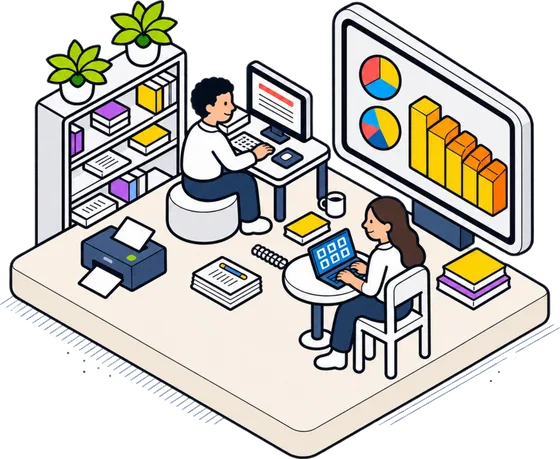
When you set out to build your first AI application, you are not just writing code. You are designing an app workflow that takes input, processes it, and delivers output in a way that solves a real problem. Vibe coding can help with each step. You can prompt the AI to sketch the user interface, write the prompt logic that decides how the app responds, and even generate the deployment scripts that make the app available to others. The key is to treat the AI as a collaborator that produces a first draft, not a final product.
A typical workflow for a business application might start with defining the software requirements. What data does the app need? Who will use it? What decisions should it support? Once you have those answers, you can describe the app to the AI in natural language. The AI generates code for the front end and back end. You test it, spot gaps, and ask for changes. After a few rounds, you have an application prototype that you can show to stakeholders for feedback. This cycle is much faster than traditional development, where writing every line from scratch takes days or weeks.
Practical Considerations for Professionals
If you are taking a course that helps you build your first AI application, you will likely encounter vibe coding as a technique. The idea is not to replace professional developers but to give business analysts, project managers, and domain experts a way to create working software quickly. You still need to understand basic programming concepts, data structures, and how to test code. But you do not need to be a computer scientist to get a useful app running.
Here are a few things to keep in mind when using vibe coding for business applications:
- Start small. Pick a single feature or a simple task. A dashboard that shows one metric is easier to get right than a full reporting system.
- Review the generated code. Do not trust it blindly. Check for errors, security issues, and code that might break when data changes.
- Keep prompts clear and specific. The more context you give the AI about your data, your users, and your constraints, the better the output.
- Version control your code. Use git or a similar system to track changes. This makes it easier to revert if something goes wrong.
- Plan for maintenance. Code generated by AI can be hard to update later. Document your prompts and the decisions you made during development.
The Role of Prompt Logic and User Interface
Two areas where vibe coding shines are prompt logic and user interface. Prompt logic means the rules that decide what the app does based on what a person types or selects. For example, an app that helps with customer support might have logic that routes a complaint to the right team based on keywords in the message. You can describe this logic in plain English and let the AI turn it into code. Similarly, you can generate a user interface by describing the layout, the fields, and the actions. The AI produces HTML, CSS, and JavaScript that you can refine.
But there is a trade-off. The user interface that the AI generates may not follow your company's branding or accessibility standards. You might need to adjust colours, fonts, and screen reader support manually. The prompt logic may miss edge cases that a human developer would catch. For internal tools used by a small team, these issues are often acceptable. For customer-facing applications, you will want a developer to review and polish the code.
Deployment and Beyond
Once the application prototype works on your machine, the next step is deployment. Vibe coding can help with deployment scripts, but deploying to a server or a cloud platform requires knowledge of hosting, databases, and security. Many professionals use the AI to generate configuration files and deployment instructions, but they still need to understand what those files do. A mistake in a deployment script could expose sensitive data or make the app unavailable.
For a classroom course that teaches building and deploying a simple generative AI application in two days, the focus is on getting a working app into the hands of users quickly. The course likely covers how to use AI tools to generate code, how to test it, and how to deploy it safely. The goal is not to produce production-ready software but to give professionals the confidence to start building and iterating.

Is Vibe Coding Right for Your Team?
Vibe coding is not a silver bullet. It works best for small, low-risk applications where speed matters more than perfection. It can help you prove an idea, automate a repetitive process, or give a team a tool they would not otherwise have. But for mission-critical systems, regulated industries, or applications that handle sensitive data, traditional development with rigorous testing and code review is still essential.
If you are considering vibe coding for a business project, start with a clear understanding of the software requirements and the risks involved. Use vibe coding to accelerate the early stages, but involve experienced developers for the final stages of security, performance, and reliability. The technique is a useful addition to your toolbox, not a replacement for it.